
Impact with context
See an impact level and score without treating impact as an error or automatic removal decision.
WP Impact Map analyses the components on your WordPress site, shows impact, confidence, used content and connections, and separates uncertain findings into a clear Needs review workflow.
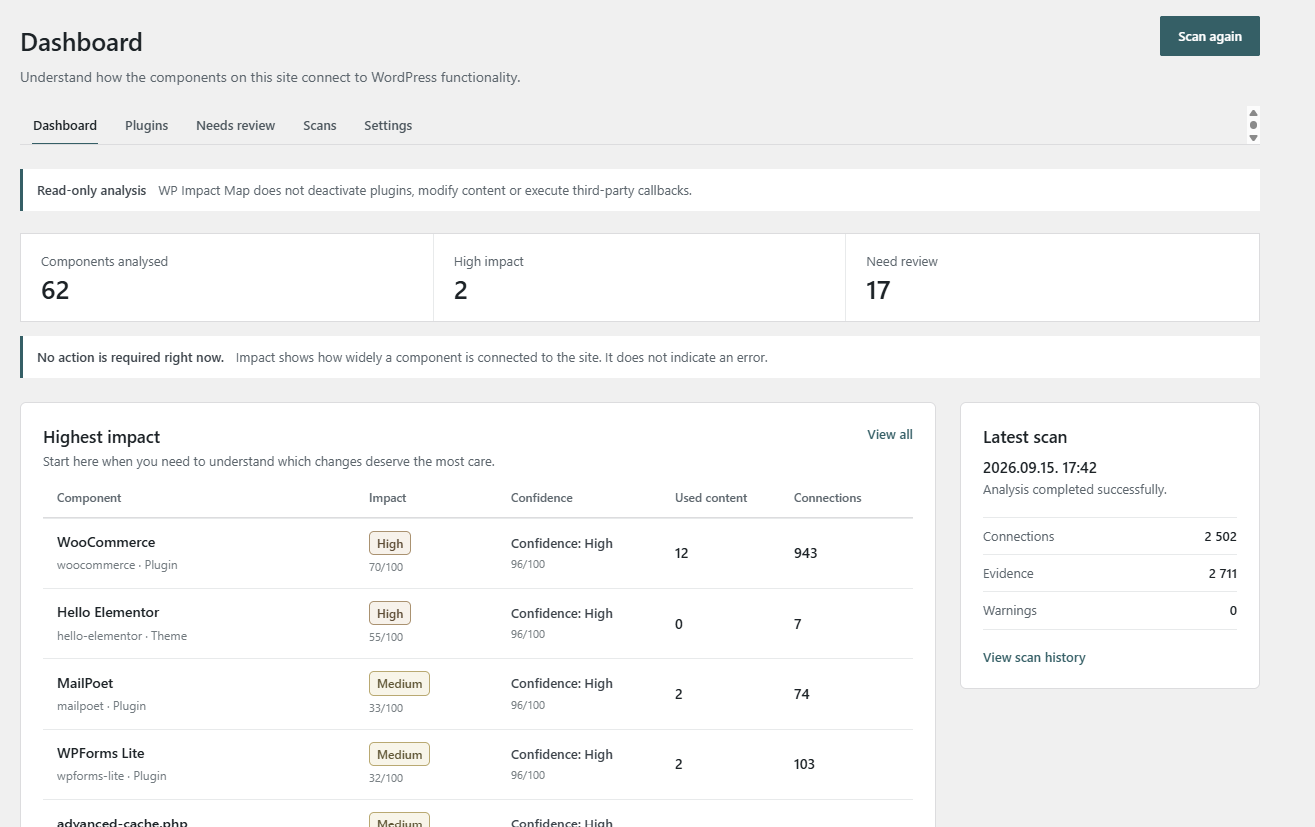
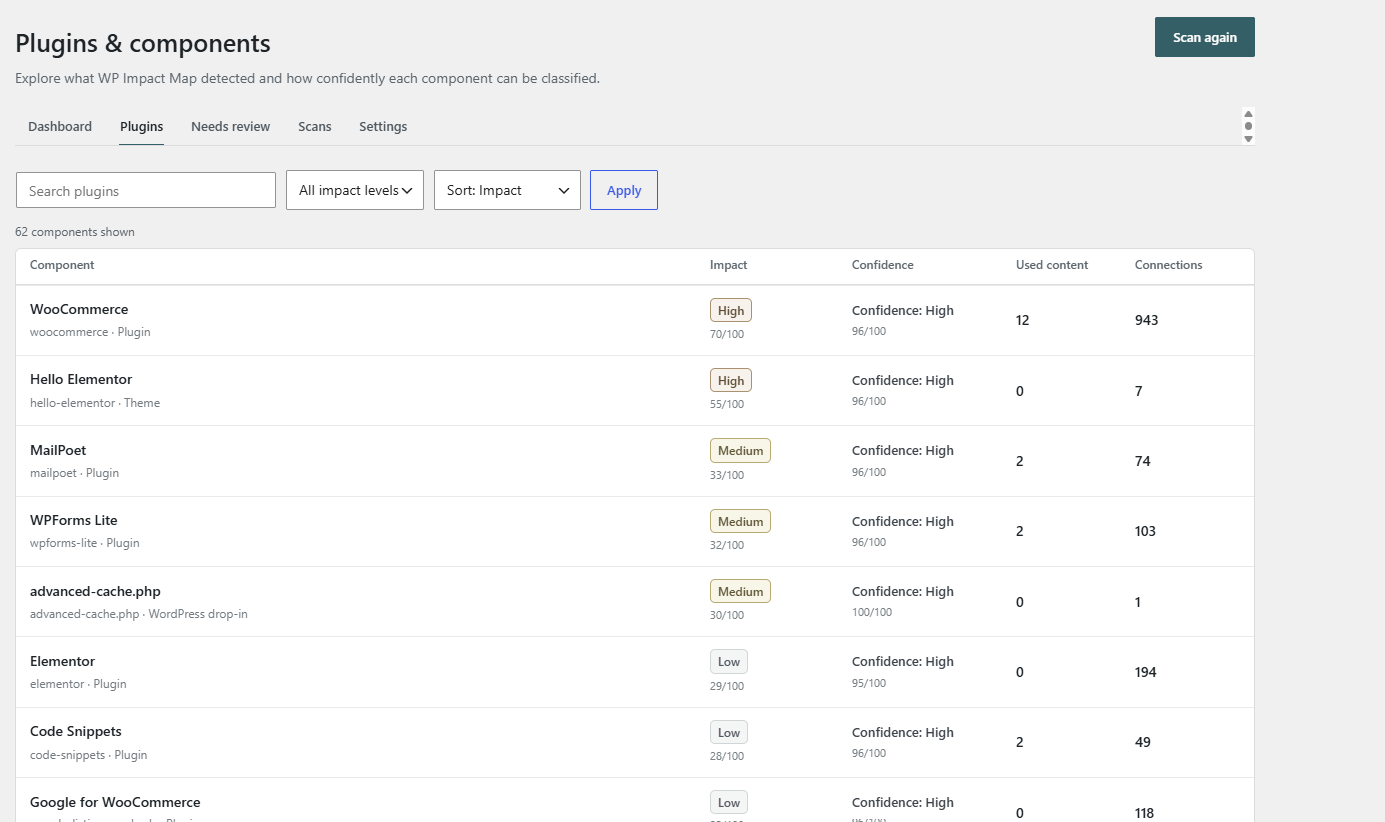
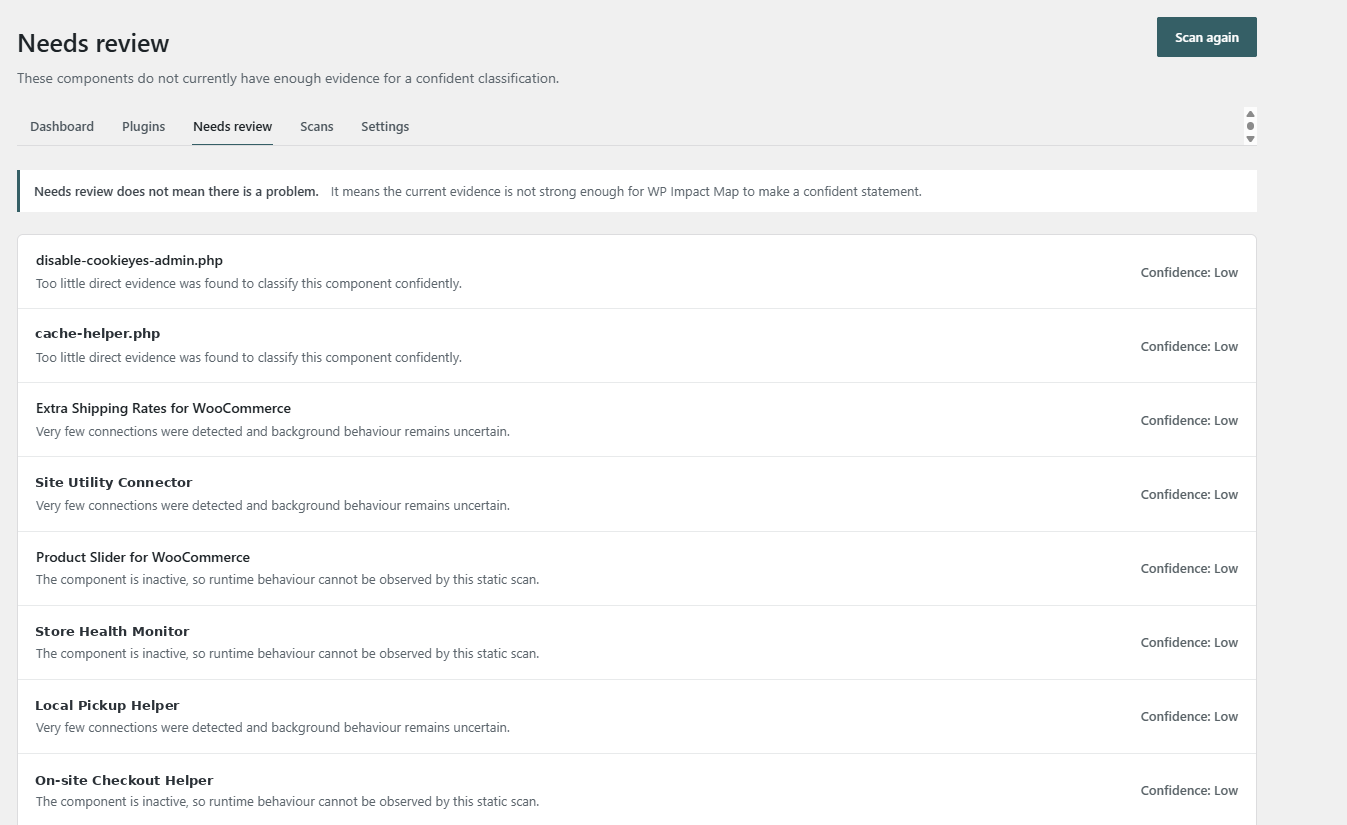
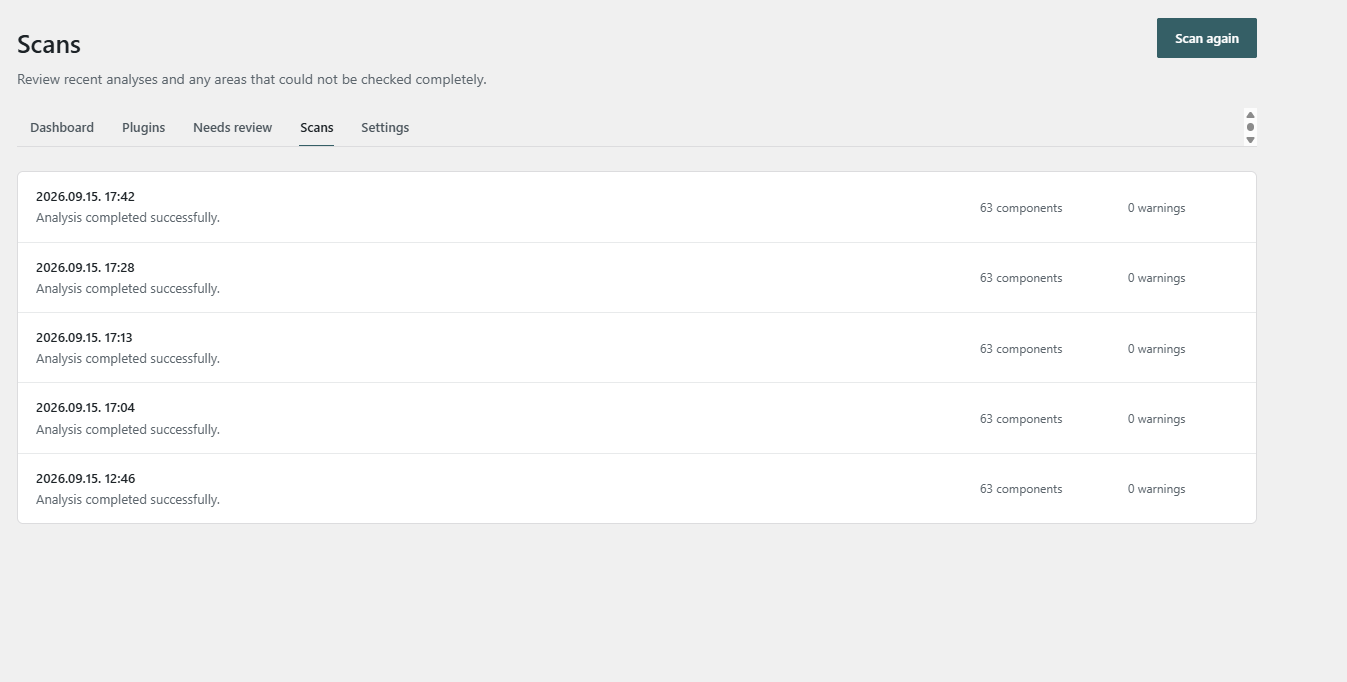
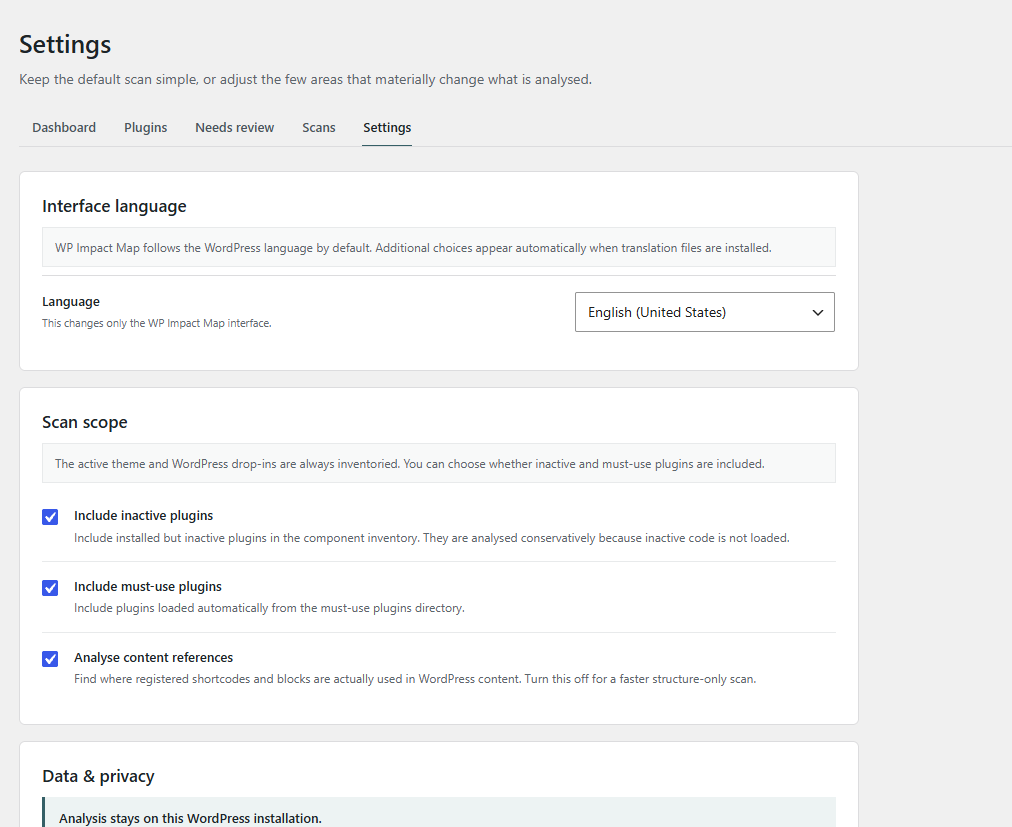
Example results from a real test installation shown in the screenshots above.
A WordPress site can contain plugins, a theme, drop-ins and must-use components that interact through hooks, registered resources, content references and other relationships.
WP Impact Map turns those signals into a maintenance-oriented view: impact, confidence, used content, connections and findings that still need human review.
See an impact level and score without treating impact as an error or automatic removal decision.
High- and low-confidence findings are shown separately so certainty is never implied where evidence is weak.
WP Impact Map analyses the installation without deactivating plugins, modifying content or executing third-party callbacks.
No invented dashboard. These screenshots come from the current WP Impact Map Free build running on a real WordPress installation.
The goal is not to make the decision for you. It is to give you better evidence before you make it.
Analyse plugins, the active theme, WordPress drop-ins and optionally inactive or must-use plugins.
A 0–100 impact score with clear impact levels helps surface components that deserve more care.
Confidence is displayed independently from impact, so a strong impact signal is not confused with strong evidence.
Components without enough evidence are separated into a dedicated review workflow with a plain-language reason.
See connection counts and whether registered components are referenced in WordPress content.
Control inactive plugins, must-use plugins and content-reference analysis while the analysis stays on the WordPress installation.
Inventory the current WordPress environment using the scan scope you choose.
WP Impact Map evaluates relationships, content references and other available evidence without changing the site.
Review impact, confidence, used content and connection counts across detected components.
Investigate high-impact components and anything placed in Needs review before deciding what to change.
Nothing in the Free column below is a teaser screen: these capabilities are already part of the current product.
| Capability | Free | Pro |
|---|---|---|
| Component inventory & static analysis | ✓ | ✓ |
| Impact score & impact level | ✓ | ✓ |
| Confidence scoring | ✓ | ✓ |
| Used-content & connection counts | ✓ | ✓ |
| Needs Review workflow | ✓ | ✓ |
| Scan history & configurable scan scope | ✓ | ✓ |
| Interface language selection | ✓ | ✓ |
| Runtime observation layer | — | Planned Pro |
| Deeper operational evidence & change history | — | Planned Pro |
Pro features are shown as planned until they are commercially released. The landing page will be updated as the Pro build is finalized.
WP Impact Map explicitly states that impact reflects how widely a component is connected to the site. It does not claim that a high-impact component is broken or unsafe.
No plugin deactivation, content modification or third-party callback execution during analysis.
Low-confidence findings are moved to Needs review instead of being presented as facts.
The interface states that analysis stays on the WordPress installation.
Choose whether inactive plugins, must-use plugins and content references are included.
For site owners and developers who want a clearer picture before routine WordPress maintenance.
For agencies, maintainers and teams that want runtime observation and deeper operational evidence.
WP Impact Map is designed to improve maintenance decisions, not replace administrator judgment.
No. Impact shows how widely a component is connected to the site. It does not indicate an error and it does not make the maintenance decision for you.
No. High impact means the component deserves more care because of its detected role or connections. Confidence is displayed separately.
The current analysis is read-only. It does not deactivate plugins, modify content or execute third-party callbacks.
It means the current evidence is not strong enough for a confident classification. The interface tells you why the component was placed there.
No. WP Impact Map is plugin-agnostic. WooCommerce appears in these screenshots because it is installed on the test site, not because it is required.
The Pro direction is runtime observation and deeper operational evidence. Until those features are commercially released, the site labels them as planned rather than presenting them as finished.
See impact, confidence, connections and uncertain findings before you start removing or changing components.